Training · Routine · Supplements · Fasting

Training, nutrition and supplements
on the right timeline.

The only app that organizes your fasting window, supplement schedule, strength training and meals in one visual timeline. For those who treat health as a protocol, not a guess.

DomsFit app
100% offline
iOS · Android
Apple Watch
PT · EN · ES
Apple Health · Google Health

Three steps to a
consistent routine.

01
Build your protocol
Set fasting windows, work schedule, nutrition blocks with supplements and physical activities. DomsFit organizes everything with a start and end date.
02
Follow the daily timeline
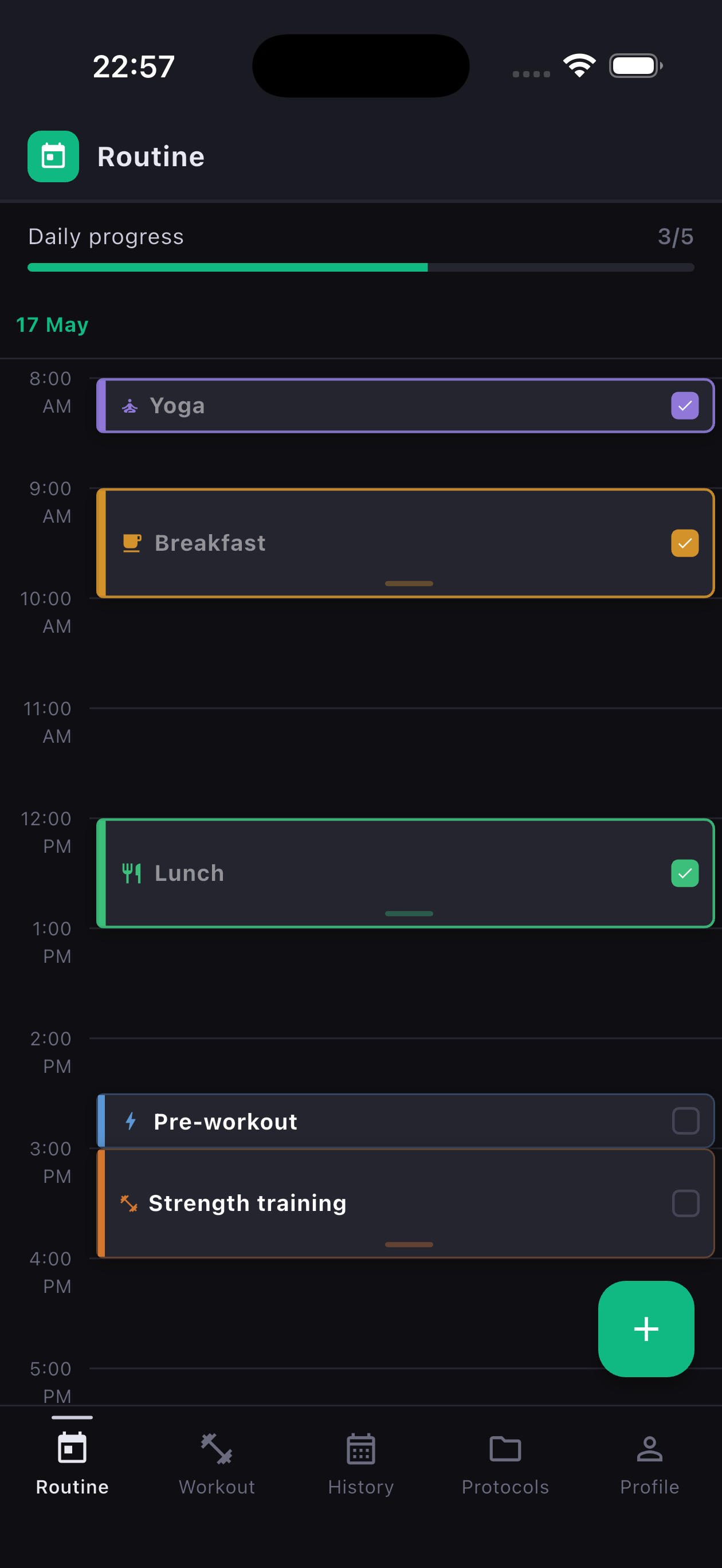
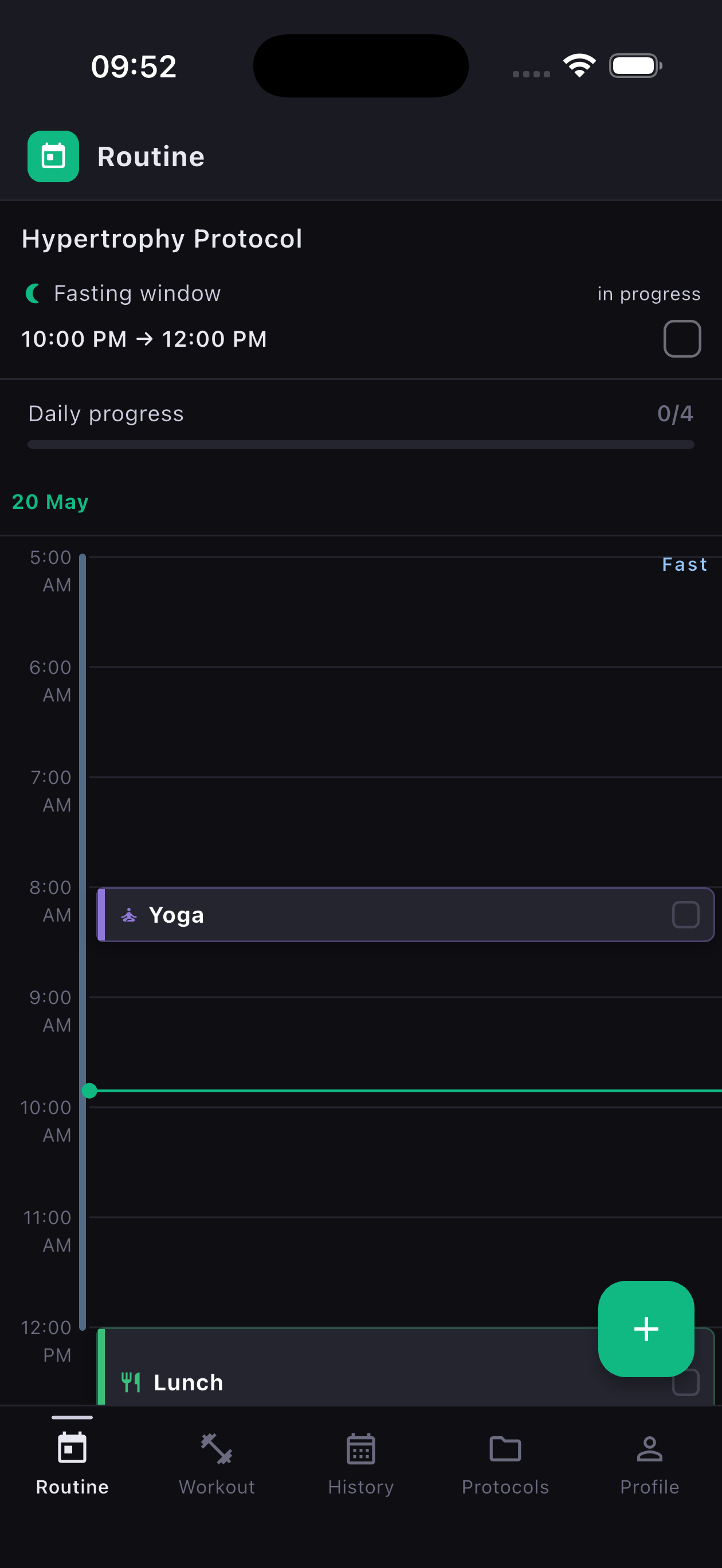
Every day shows a visual timeline from 6am to midnight with what to do and when. Supplements at the right time, fasting window, workout and meals — no guessing.
03
Execute and improve
Check off blocks, log sets and weights, track your streak and progression. History shows where you were and where you are now.

DomsFit — Timeline do dia

Fasting, supplements, activities and training.
At the right time.

It's not a diary — it's a plan. The visual timeline shows all daily blocks in sequence: meals, supplements, physical activities (cardio, yoga, weight training), training and your active fasting window.

  • Intermittent fasting window with 3 states: active, closed, paused
  • Nutrition blocks with items: meals, supplements and schedules
  • Activity blocks: cardio, yoga, weight training and other physical practices
  • Current-time indicator on the timeline and notifications on each block

Walk in knowing
exactly what to do.

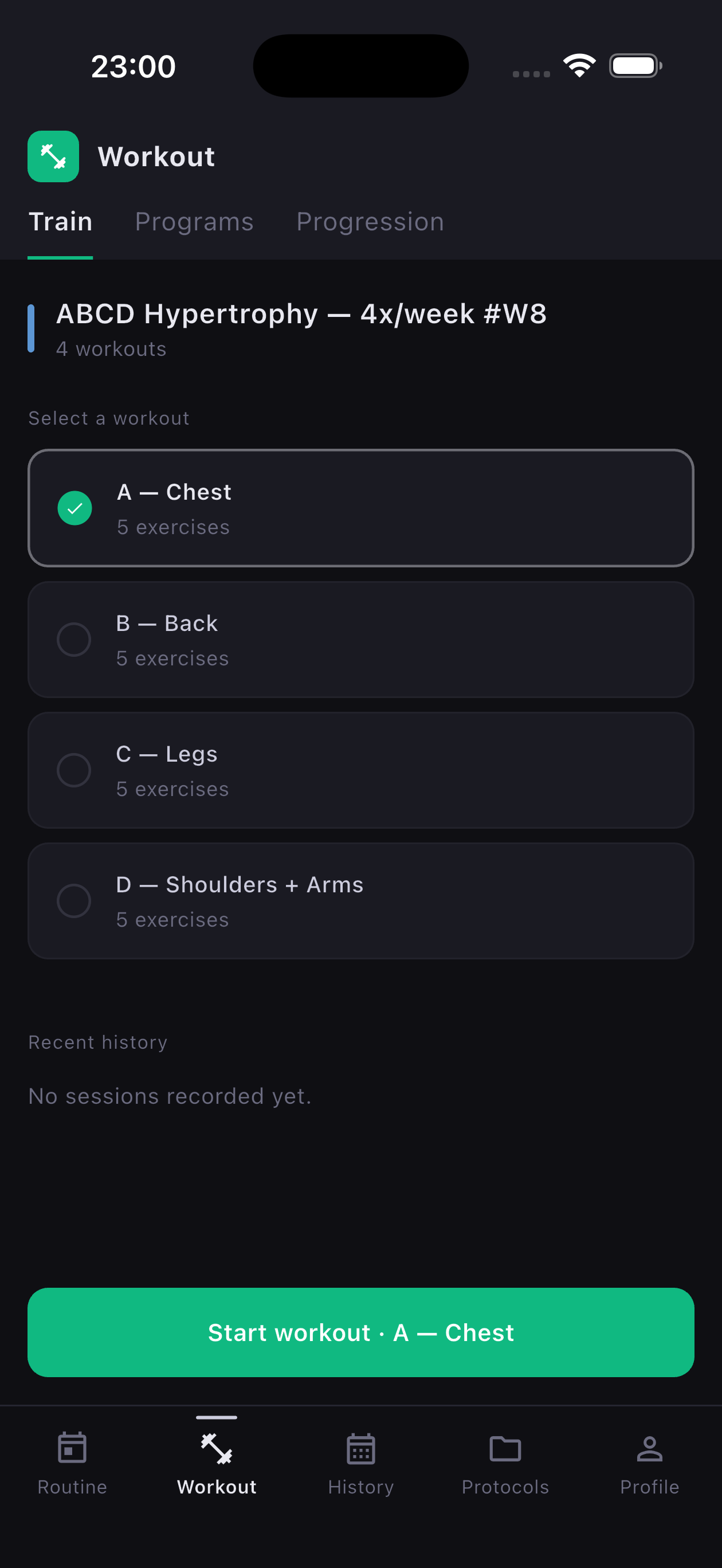
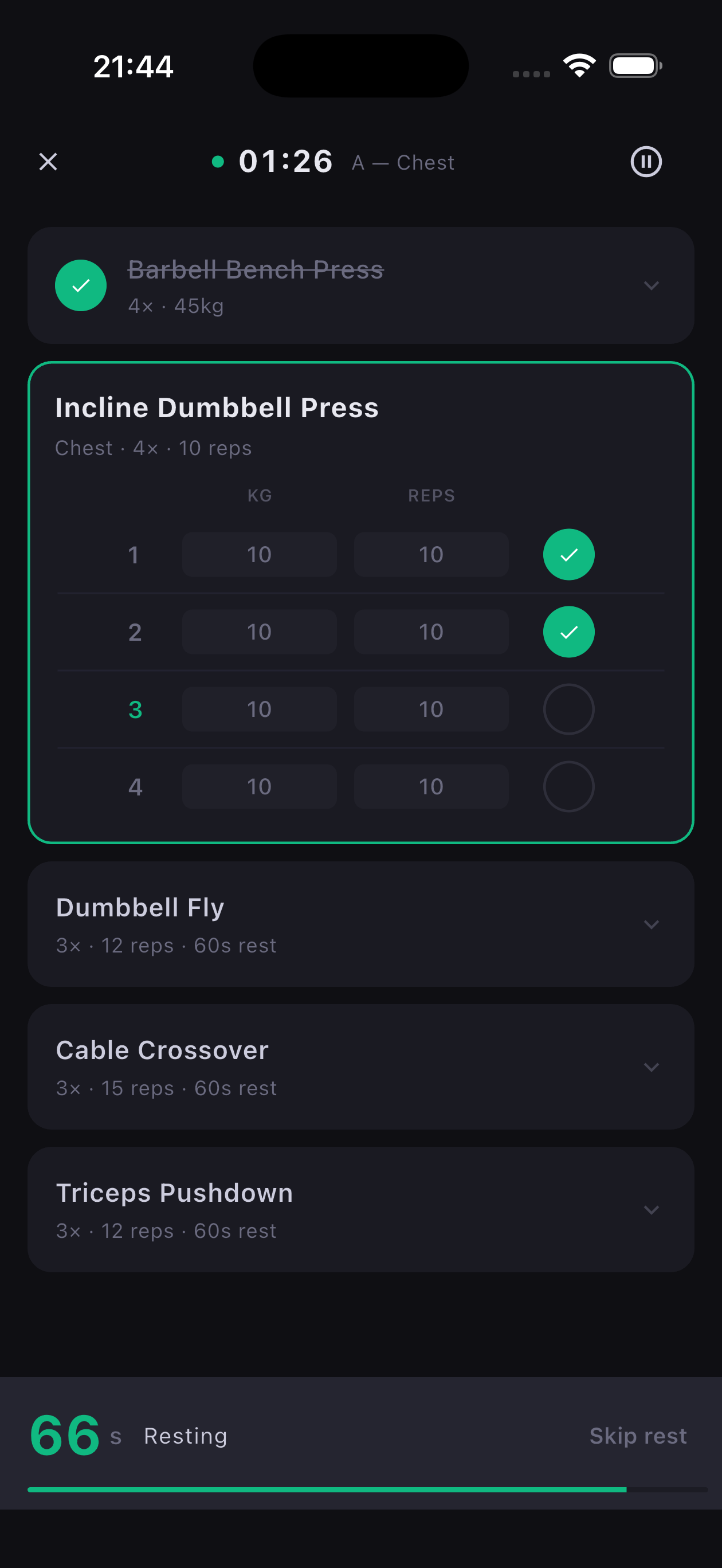
Complete plans with exercises, sets, weights and rest time. Execution mode guides you set by set with an automatic rest timer and individual tracking.

  • 40+ ready-made templates: PPL, Full Body, ABC, ABCDE, Upper/Lower
  • Execution mode with rest timer and set tracking
  • Edit load and reps during your workout without losing momentum
  • Apple Health and Google Health Connect integration on session end
DomsFit — Ficha de Treino
DomsFit — Modo Execução

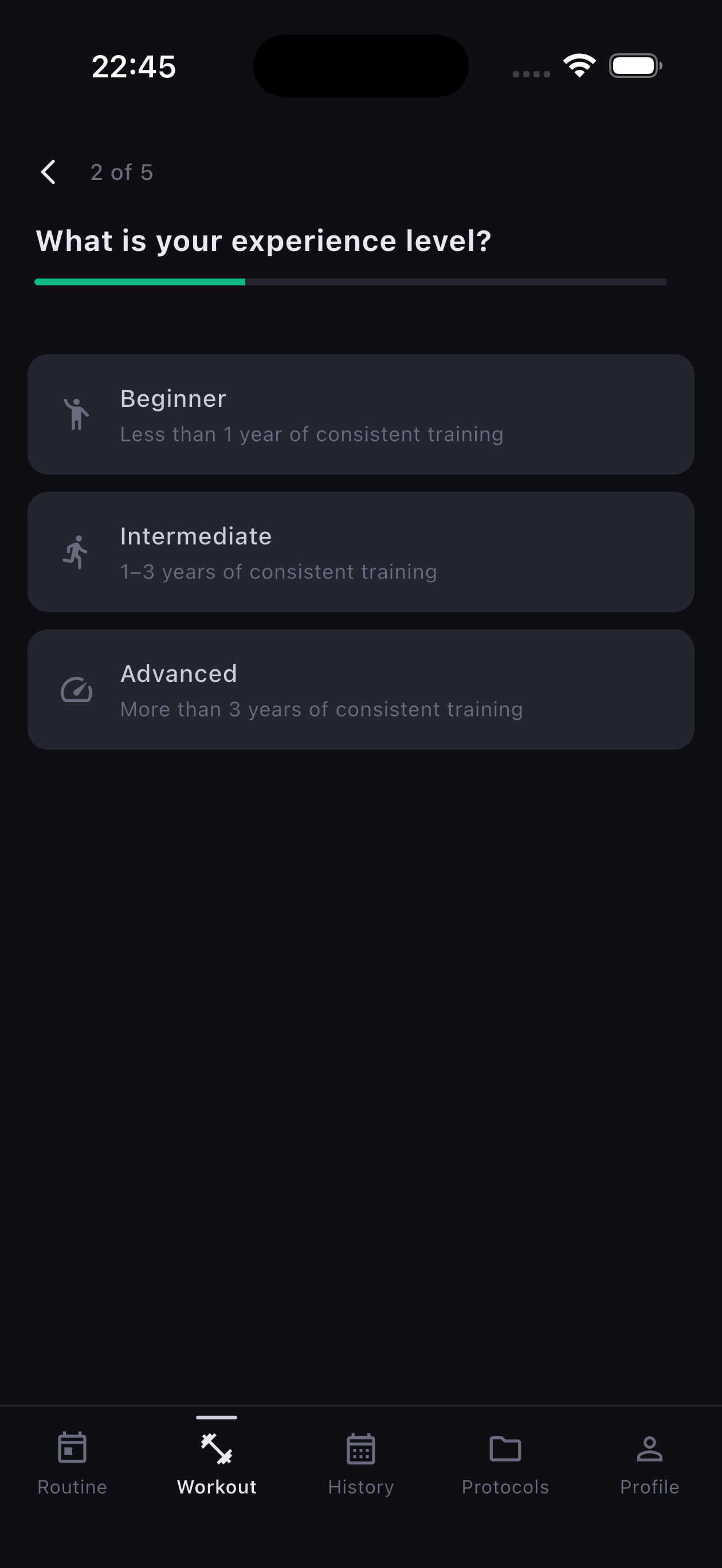
DomsFit IA — wizard
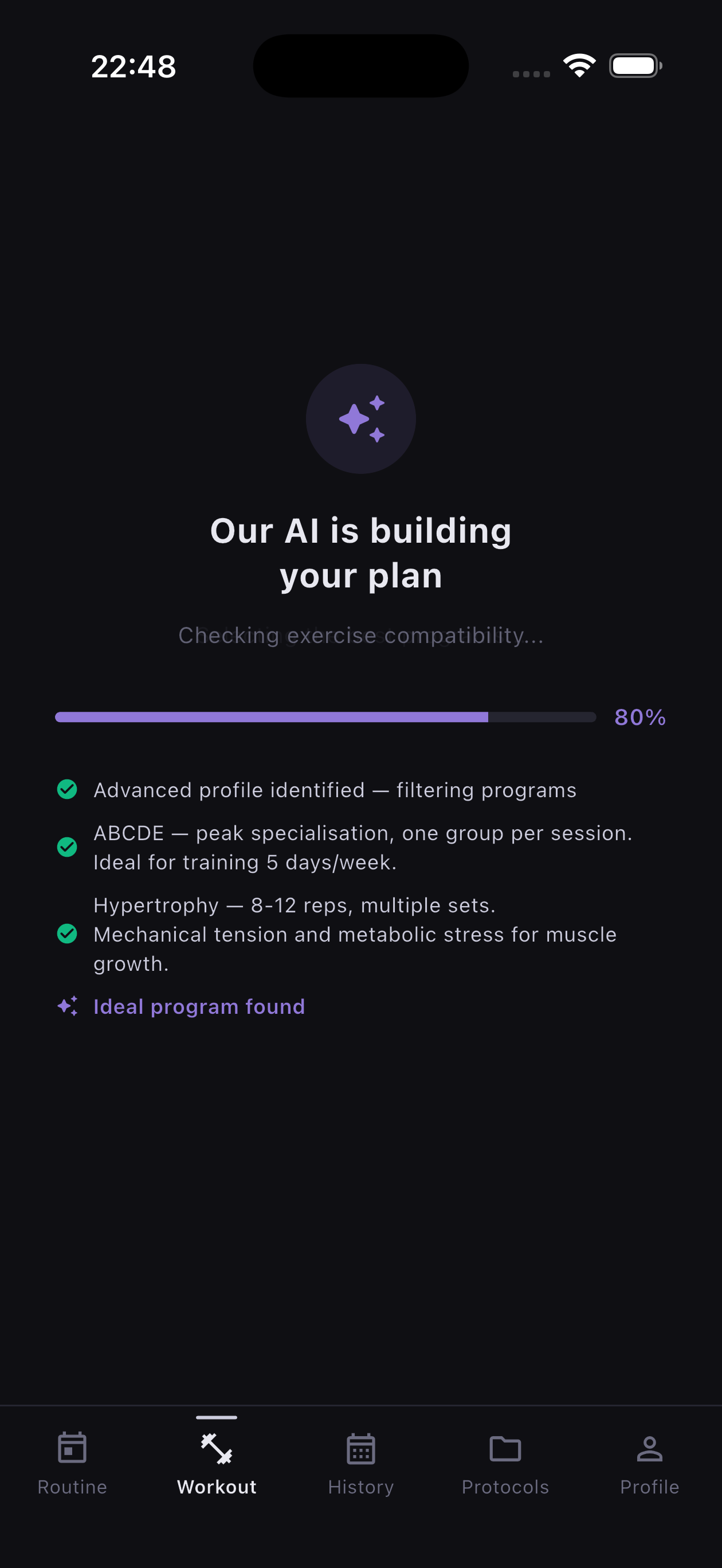
DomsFit IA — configuração
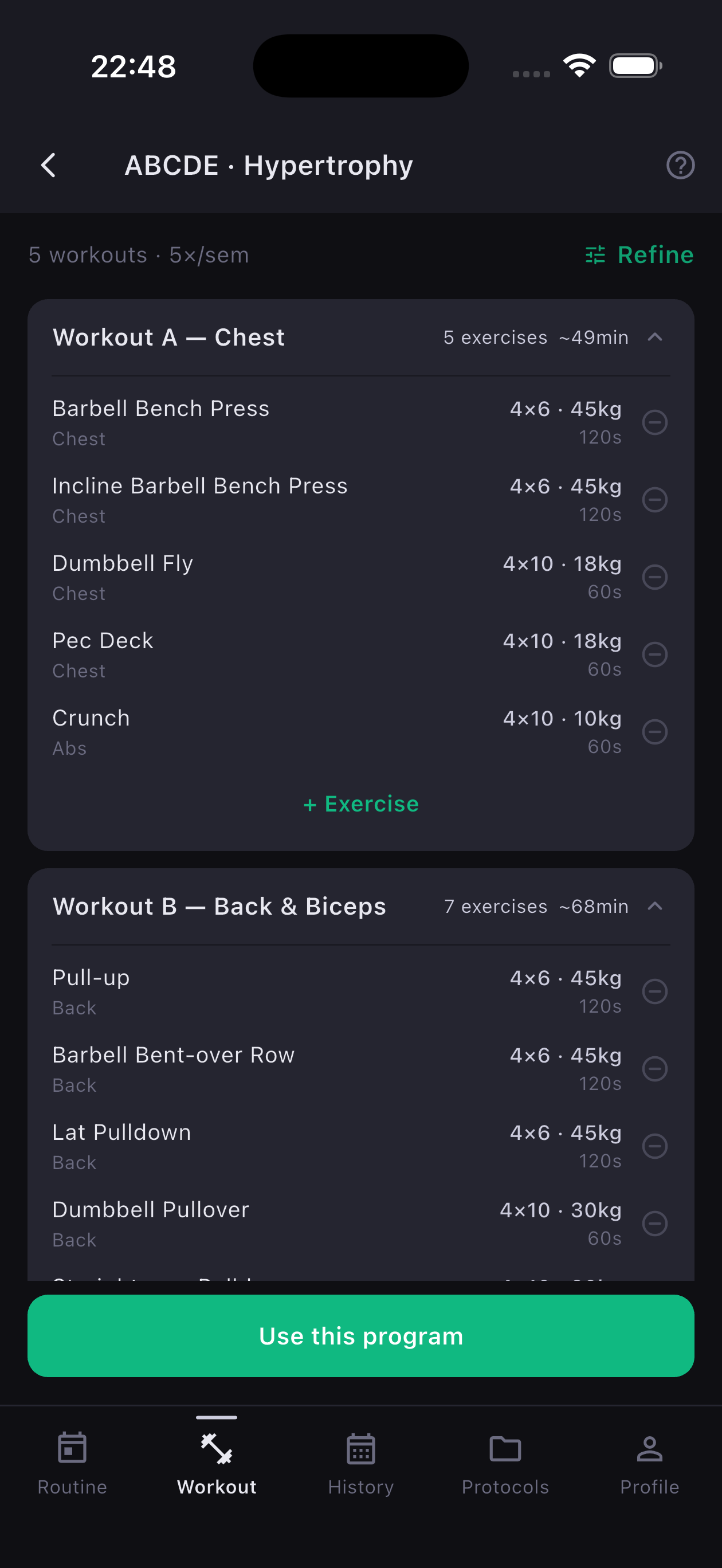
DomsFit IA — resultado

Your training program.
Built in seconds.

No spreadsheets, no personal trainer, no guessing. Answer 6 questions about your goal, level and schedule — DomsFit builds a complete, periodized program ready to start today.

  • Personalized by goal, level, available days and equipment
  • Automatic periodization — progressive volume and intensity
  • Activate your generated program with one tap and start your first workout (Pro)
  • Fully customizable — swap exercises, add sets or build from scratch

40+ ready plans.
Start today.

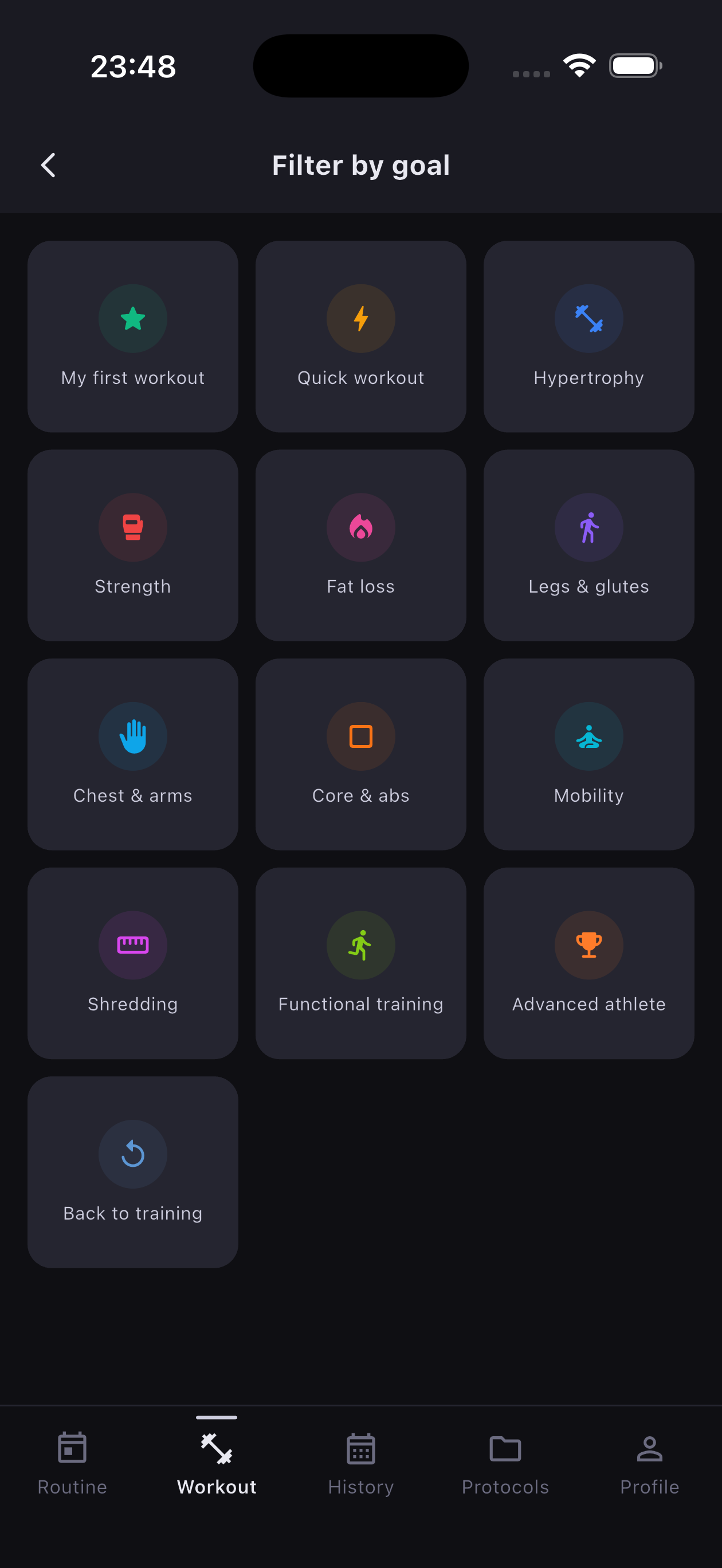
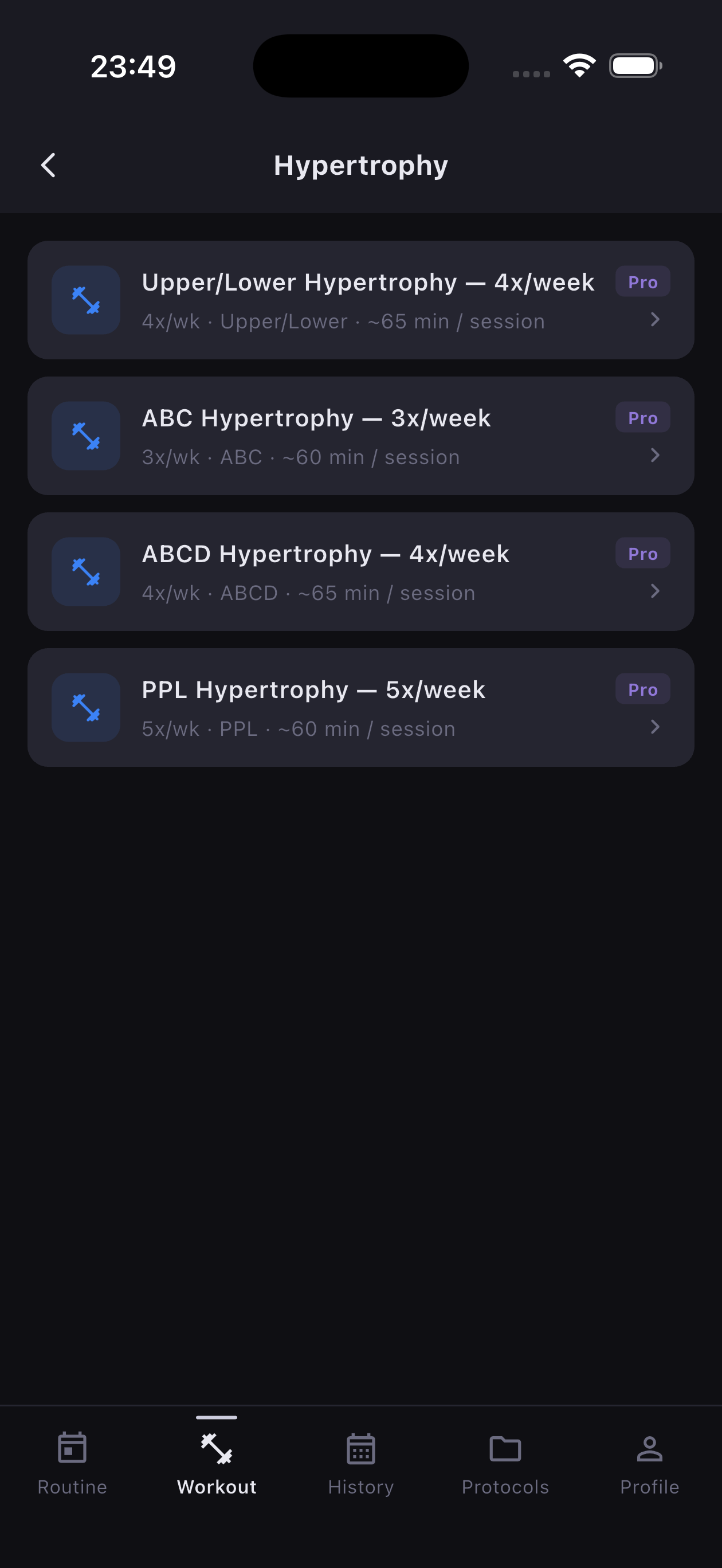
From Full Body to ABCDE — complete programs built by experts. Choose by goal, level, and available time.

  • Full Body, ABC, PPL, ABCDE, Upper/Lower — for every level
  • Quick (45 min) and full (70 min) versions for each program
  • Female and male plans with specific volumes
  • Full preview before adding to your protocol
DomsFit — Fichas
DomsFit — Fichas Pré-prontas

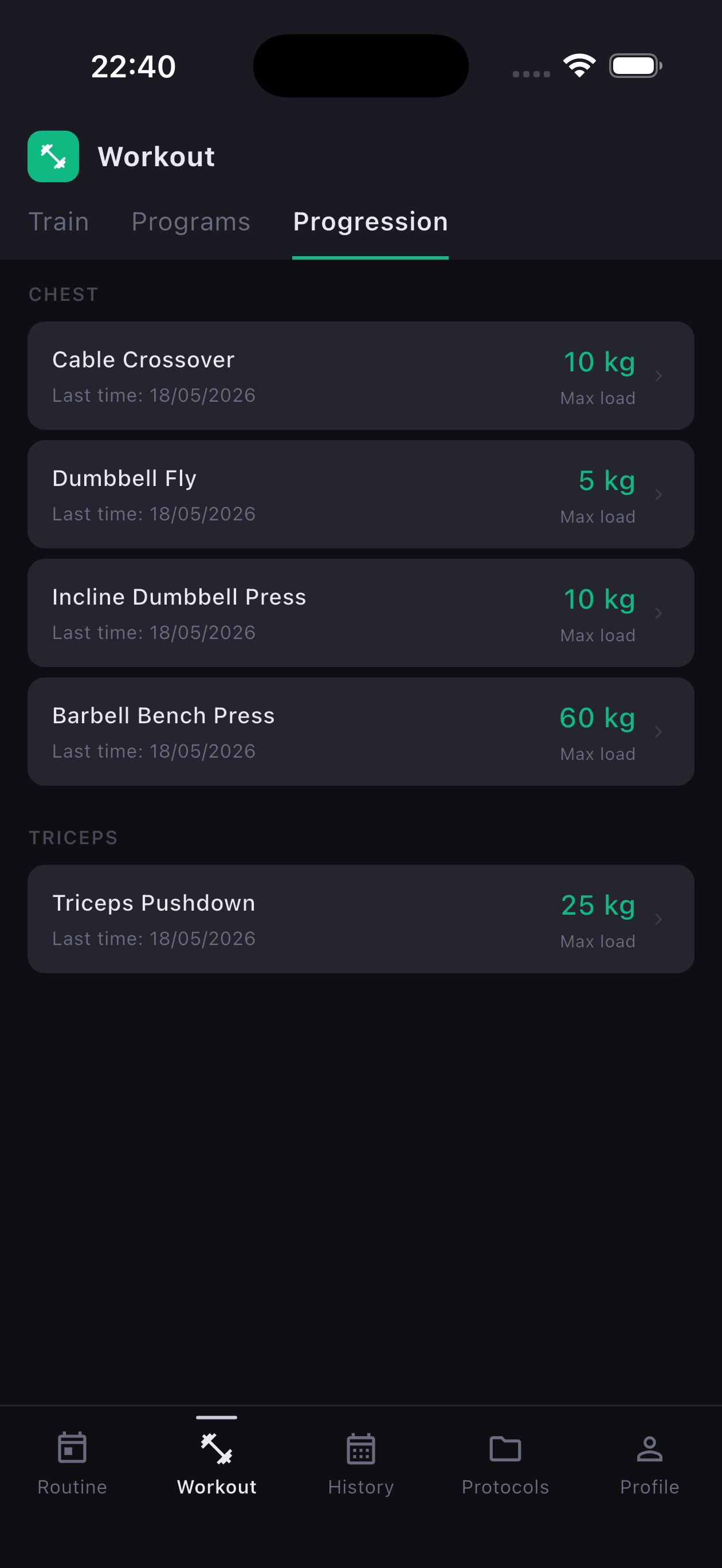
DomsFit — Lista de Progressão
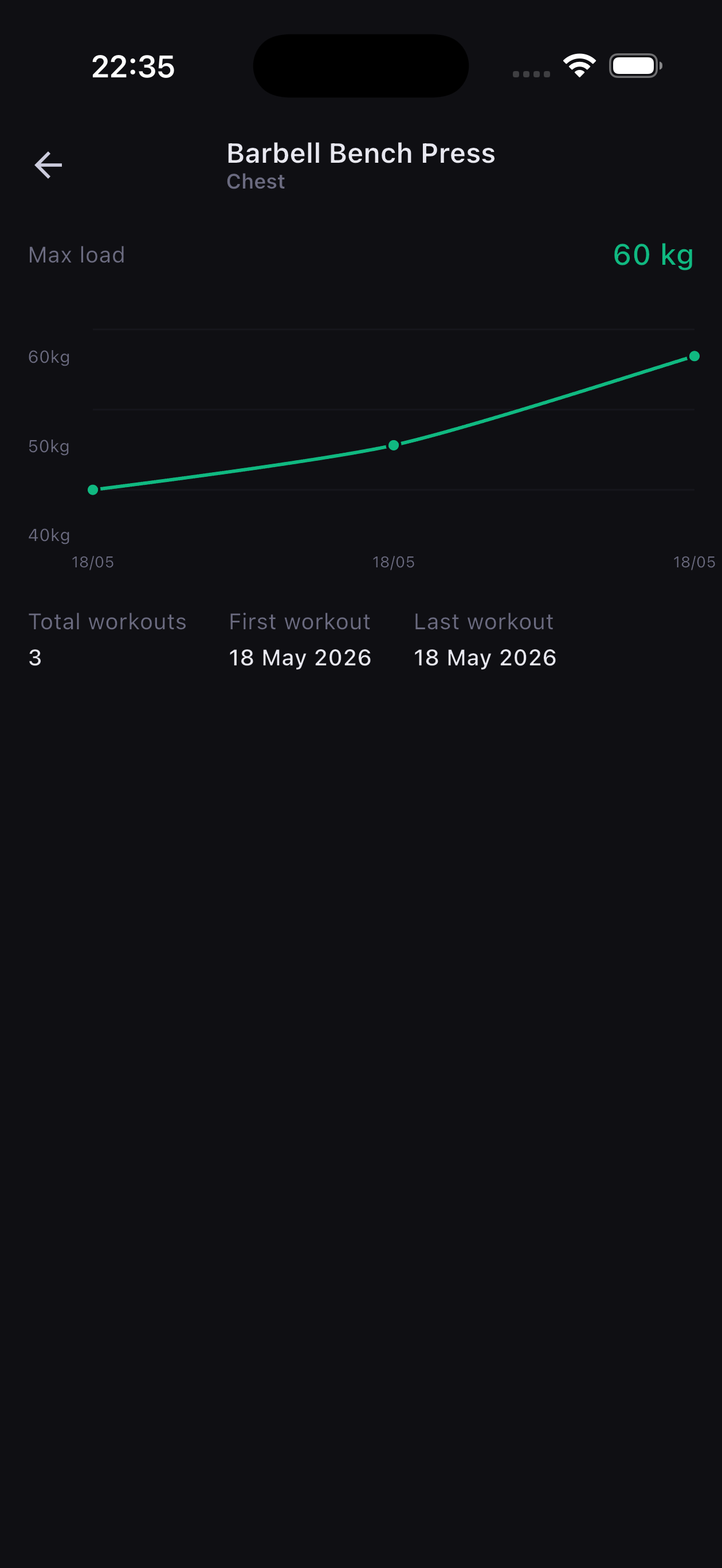
DomsFit — Gráfico de Progressão

See where you came from.
Know where you're going.

Personal records highlighted per exercise, session progress charts and monthly consistency heatmap. You know when you're actually improving.

  • Load progression chart per exercise with PR highlighted
  • Monthly heatmap with 5 intensity levels and current streak
  • Full history of sessions, blocks and completions
  • Consistency stats: streak, best streak and monthly percentage

Your routine as a
project with a start and end.

A Protocol is the container for your complete routine — nutrition blocks, activities and workout plans with start and end dates. Switch between hypertrophy, cutting or maintenance phases without losing history.

  • Create protocols for each phase: hypertrophy, cutting, maintenance
  • Duplicating a protocol copies all blocks, activities and plans
  • Separate history per protocol — compare different phases
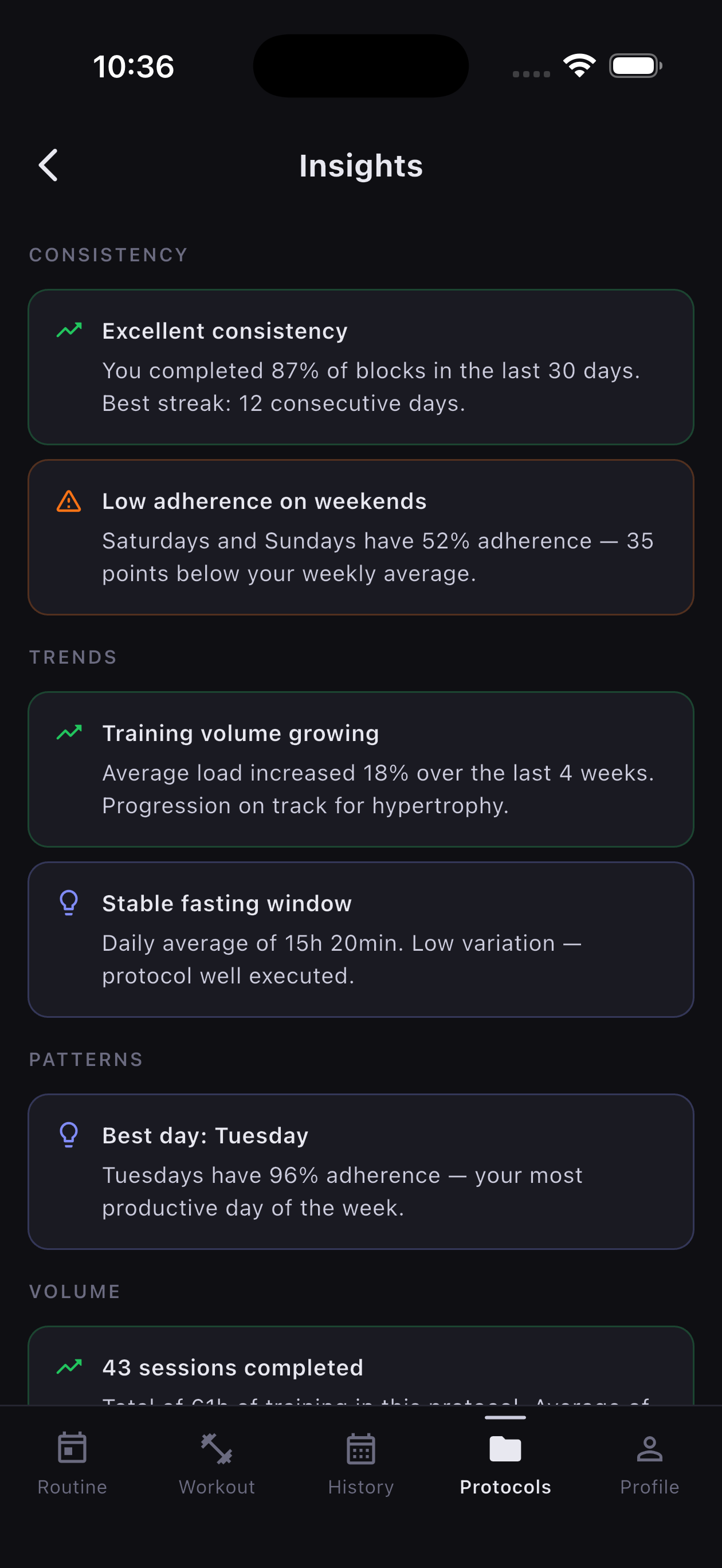
  • Automatic insights: daily consistency, weekday patterns, adherence trends and food-activity correlations
🎯
Active protocol
Hypertrophy — Summer 2026
💪
Archived
Cutting — Mar/Apr 2026
🔥
Archived
Base — Jan/Feb 2026
DomsFit — Insights do protocolo

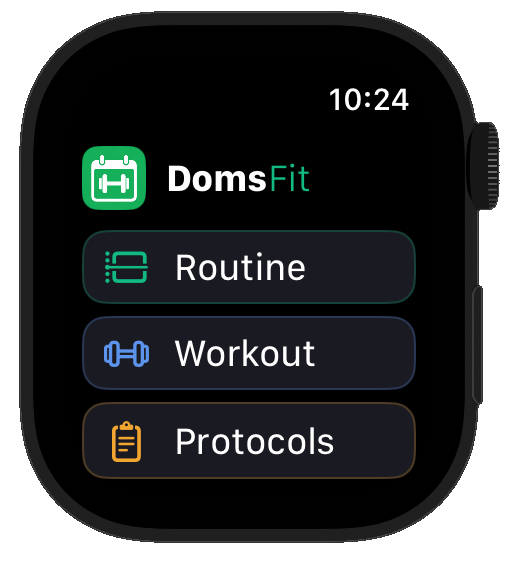
On your wrist,
the workout continues.

Native Apple Watch companion app with real-time bidirectional sync. View your routine, execute workouts set by set and check off blocks — without taking your phone out.

DomsFit — Apple Watch


    Your workouts
    in Apple Health.

    When you finish a workout session, DomsFit automatically writes it to Apple Health (HealthKit) on iPhone and Health Connect on Android. Your training data shows up alongside heart rate, calories and activity — all in one place.

    • Automatic logging at the end of every workout session
    • Duration, exercise type and timing recorded correctly in Health
    • One-way integration: DomsFit never reads your personal data
    Finish workout → DomsFit → Apple Health
    Apple Health
    Sessions appear in the Health app with correct type, duration and timing.
    Health Connect
    Compatible with Google Fit, Samsung Health and any app that uses Health Connect.
    Write-only by design
    The app only writes to Health — never reads. Your personal data (weight, heart rate, sleep) stays untouched by DomsFit.
    Android

    We'll tell you when Android arrives.

    Enter your email and we'll notify you as soon as the Android version launches.

    ✓ Email received. Thanks!
    We'll email you as soon as DomsFit reaches Android.
    FAQ

    Everything you need to know.

    What is DomsFit?
    DomsFit is a routine planner focused on health and performance. It combines intermittent fasting, supplement timing, workout tracking and nutrition in a visual daily timeline. The core idea is to follow a plan — not log what already happened.
    How is it different from MyFitnessPal or Strong?
    MyFitnessPal logs what you ate. Strong logs your workout. DomsFit plans your complete routine in advance — including supplement timing, fasting windows and training — then guides you through the day to execute it.
    Do I need to fast to use DomsFit?
    No. Fasting is an optional module. You can use DomsFit just for training and supplements — and activate fasting whenever you want. The app adapts to what you already do.
    How does the AI-generated program work?
    You answer 6 questions about your goal, level, weekly availability and equipment. DomsFit generates a complete program locally — no external API, no data sent to any server.
    Is the Apple Watch required?
    No. The Watch is an optional companion — everything works on iPhone. With the Watch you get wrist-based workout execution and real-time sync, but it's not required to use the app.
    Does it work offline? Is my data secure?
    Yes to both. DomsFit works 100% offline — all data stays on your device, encrypted with AES-256 with the key stored in the Keychain (iOS) or Keystore (Android). Internet is only used for payment processing.
    Does DomsFit have an Apple Watch app?
    Yes. A native watchOS companion app with bidirectional sync via WCSession. View your routine, execute workouts and log sets right from your wrist — no phone needed.
    Is there an Android version?
    DomsFit is already on the App Store for iPhone. Android is next: join the waitlist to be notified.
    How do I cancel my Pro subscription?
    Your subscription is managed by the App Store or Google Play. Cancel anytime through the store settings — no need to contact support.

    Your next session is waiting.

    Stop guessing. Start executing a plan.

    Download on the App Store